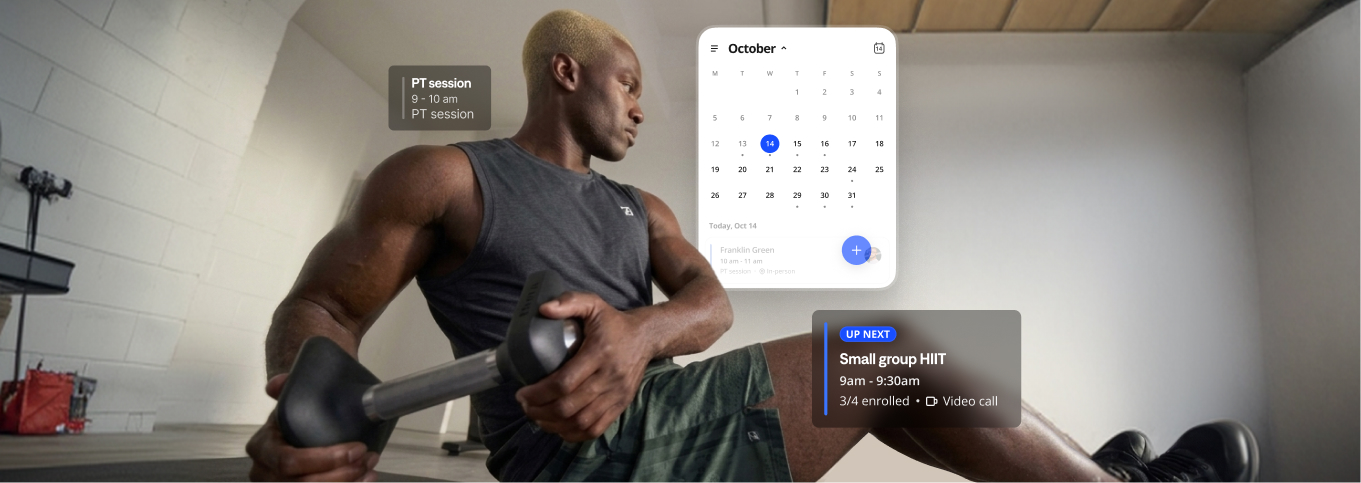

Your best coaching moments rarely happen at a desk. They happen on the gym floor, between back-to-back clients, or on a quick check-in call from the car. Until now, managing your schedule meant waiting until you got back to your laptop.
Not anymore. Booking & Scheduling is now on the Everfit Coach App, so you can handle your sessions the moment they come up, wherever you are.
Also read: Booking and Scheduling for coaches and studios is here: Run your whole day on Everfit
See your day at a glance
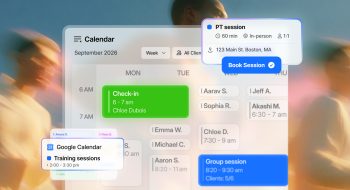
Open Sessions and your day is right there, in order, from your first session to your last. With your Google Calendar events shown alongside your Everfit sessions, you’ll spot a clash with the business meeting or a dentist appointment before it becomes a problem.
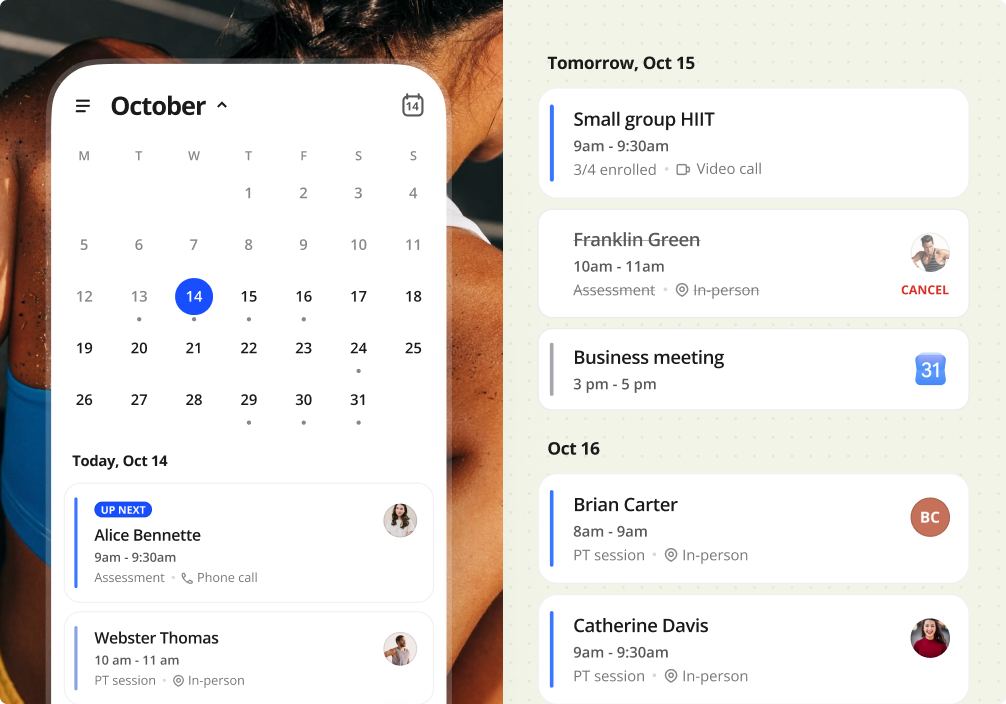
When your next client is a remote check-in, there’s no hunting for links. Open the session and join the the call link in one tap.
Book the next session when it matters
The easiest time to book a client’s next session is while they’re still catching their breath. Instead of saying “I’ll send you a time later,” lock it in on the spot.
1:1 sessions. Your client loved today’s workout and wants to come back Thursday. Pick the time, tap Book, and it’s done before they’ve packed their bag. If they ask for something different, like a quick mobility session, create a custom one-off session right there.
Group sessions. Check the open spots at a glance, add them to the roster, and you’re set. If someone drops out last minute, cancel just their spot and the session carries on for everyone else.
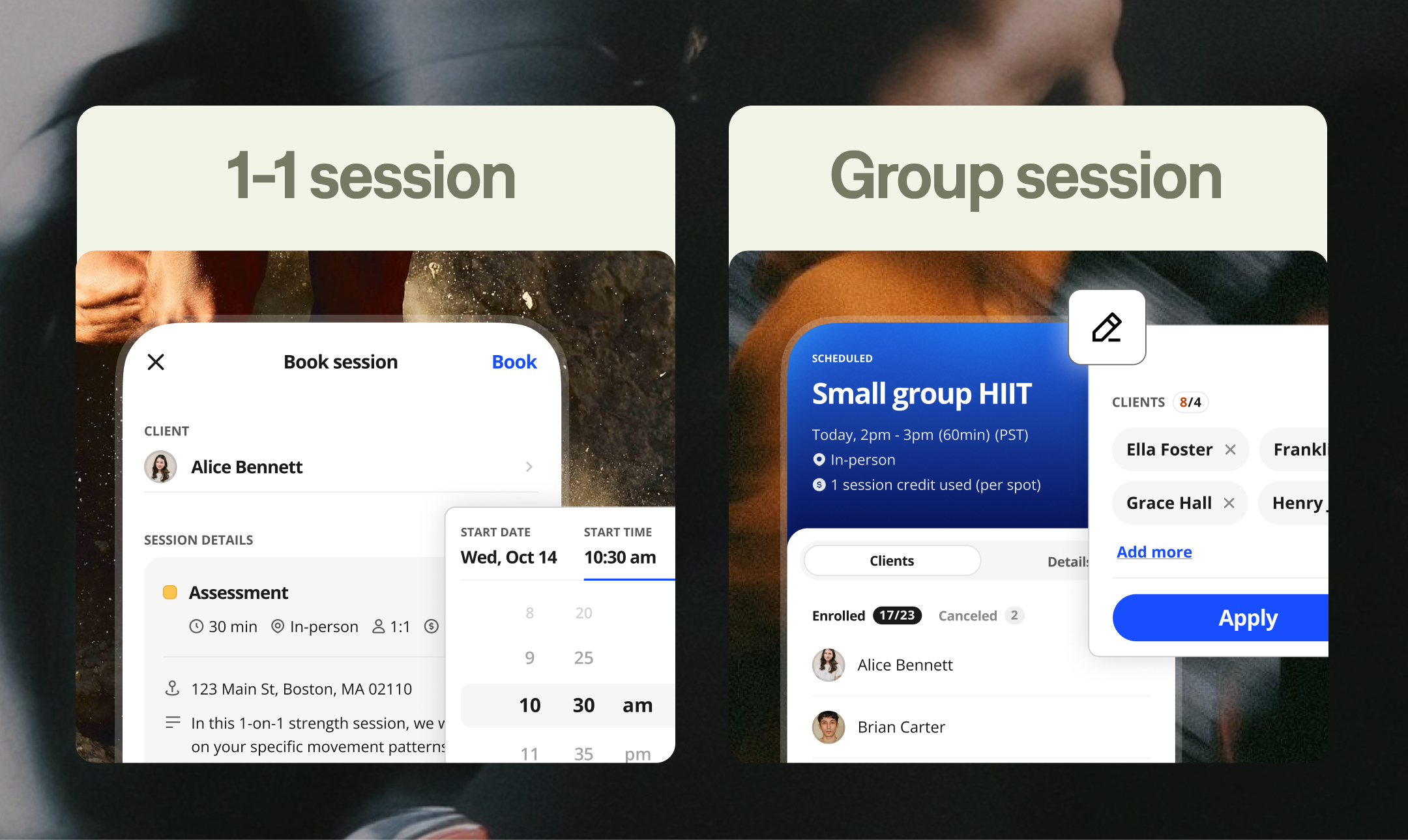
Every booking, edit, and cancellation follows the same rules as Coach Web, so your credits and policies stay exactly as you set them.
Answer client questions on the spot
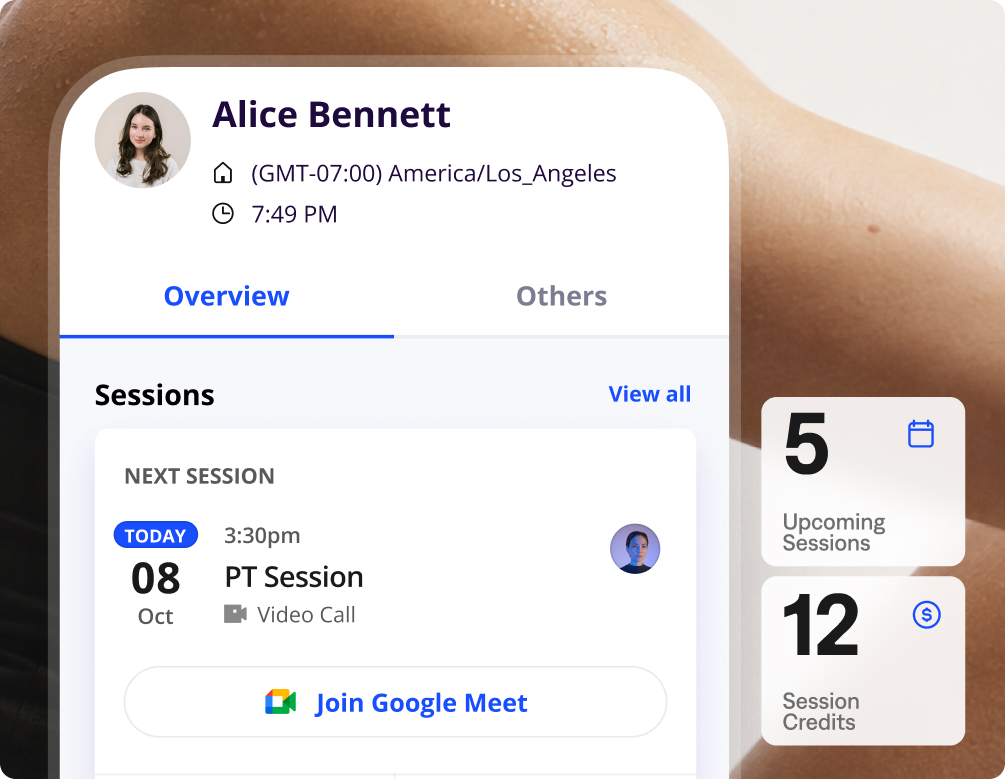
“How many sessions do I have left?” “When am I seeing you next?” Now you can answer both without saying “let me check later.”
Open the client’s profile to see their upcoming sessions and remaining credits. If they’re running low or ready for their next session, book it right from their profile. They’re already selected, so it only takes a few taps.
Plans change. A client cancels their evening session, someone self-books your free slot, or your manager hands you a session from another coach. You’ll get a notification each time, and one tap takes you straight to the session, so you can adjust your day right away.
Ready to coach on the go?
Less time at your desk means more time with your clients. Update your Everfit Coach App, tap Sessions, and book your next session from wherever you are. For a step-by-step walkthrough, see Manage Bookings on the Coach Mobile App.