
Everfit is introducing our most-requested feature yet: Booking & Scheduling for one-on-one and group coaches, built to help you and over 380,000 Everfit coaches across 184 countries run their coaching business all in one place.
With a native calendar built right into Everfit, you can manage every session yourself or let clients self-schedule. No more juggling a separate tool or manually tracking who’s booked, cancelled, or coming up next. Now live for every paid plan, Booking & Scheduling connects directly to your session types, coaching packages, and client profiles, so your booking portal is never disconnected from the rest of how you coach.
Why we built this
Coaches shouldn’t need a separate calendar app to run their business. Today, bookings are handled manually offline through text, DMs, and spreadsheets, requiring back-and-forth coordination between the coach and their clients to confirm a session. Because scheduling and the training platform are disconnected, coaches must manually track information that should live in one system: session times, payment status, and remaining session counts.
It’s not just inefficient. It’s expensive. Double-bookings and last-minute no-shows eat directly into the limited number of sessions you can actually run in a day.
Clients feel the friction too. They can’t see your open slots, so they can’t book proactively, even if they’re ready right now. For group coaches and studio owners, the challenge multiplies with coordinating across multiple clients, managing capacity limits, and handling waitlists when classes fill up all manually.
We’ve consistently heard this from our coaches, so we built Booking & Scheduling to solve this. Here is who Booking and Scheduling is for:
- Coaches who want to run their whole day inside Everfit with less administrative overhead, less back-and-forth, and more time spent on coaching.
- Coaches, gyms & studios who want their clients to have a seamless and professional experience training with them.
- Coaching teams who need shared calendars to collaborate.
- Clients who want a faster and better way to book sessions, stay in touch with their coach and manage their workouts.
- Group coaches and fitness studios who want to sell group session or workshops.
Watch the Live Demo of Everfit Booking & Scheduling feature here:
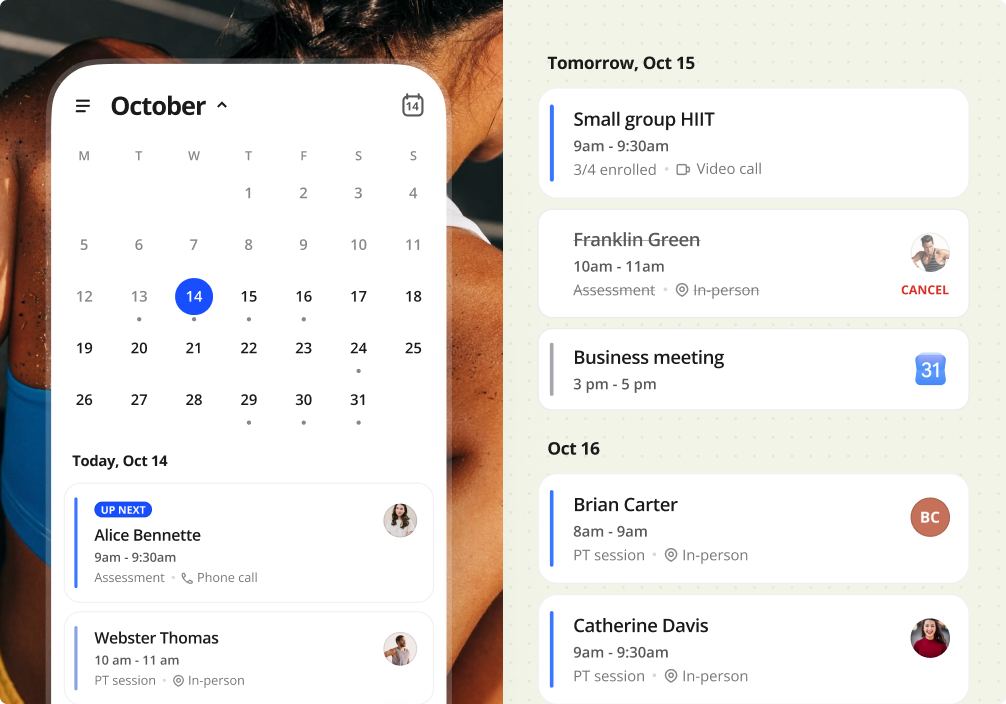
Booking & Scheduling is also available on the Everfit Coach App, so you can handle your sessions the moment they come up, wherever you are. Learn more here. What you can do:
- Manage your full schedule in one view: session details, Google Calendar events, and video-call links, right in the Coach App.
- Book and reschedule 1:1 or group sessions from anywhere.
- Check client’s upcoming sessions and credit balance from their profile.
Manage your calendar in one go
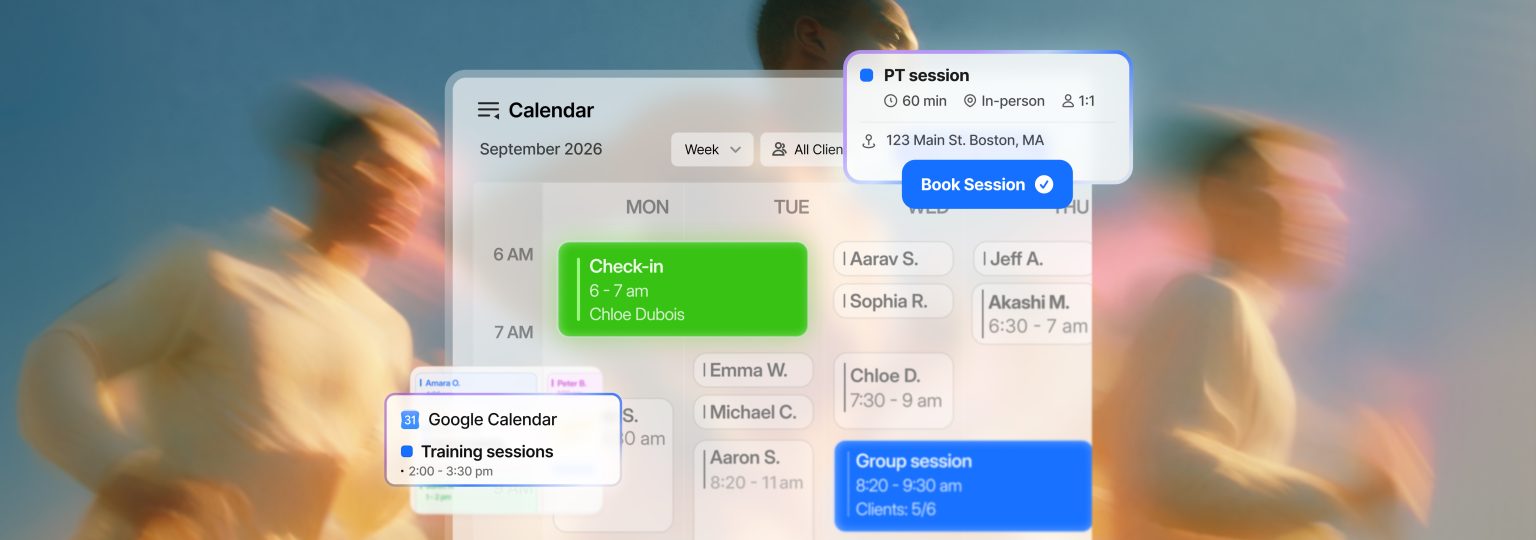
Everything starts with a calendar built for how you already work: day, week, and month views, with sessions color-coded by type and a live time marker.
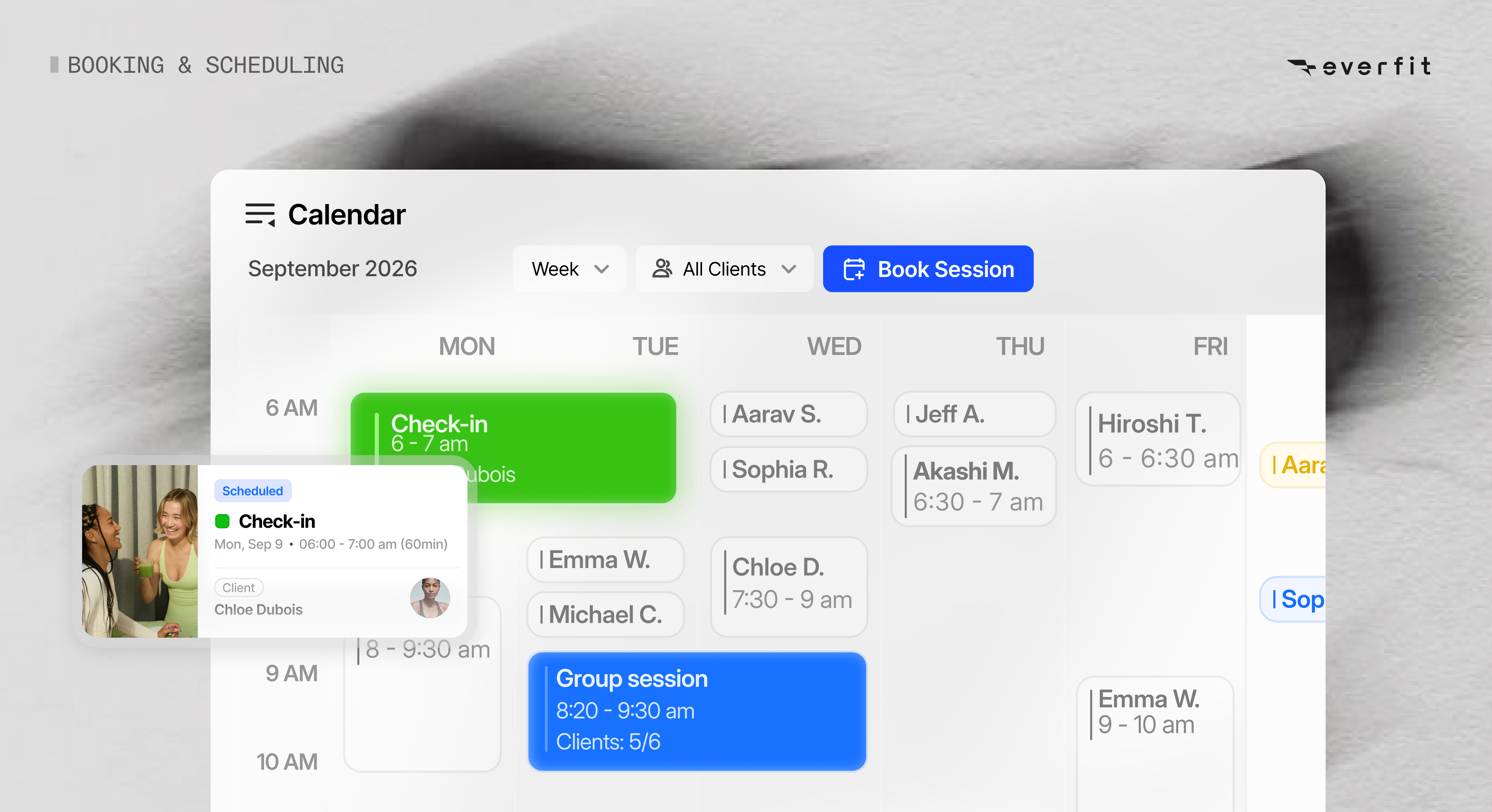
From there, a few things make it run smoothly:
- Sync with Google Calendar: Your Everfit calendar and your personal calendar stay aligned, so nothing gets double-booked across the two.
- Set up your availability: Define your working hours, add date overrides for the days that don’t follow your usual schedule, and let the system handle the rest.
- Create session types: Set up templates with duration, location, and format included, so you’re not rebuilding the same session from scratch every time.
- Book a session in seconds: Pick a client, trainer, and time, with details auto-filled from the saved session type. Add a note if you need to, then edit or cancel anytime.
- Create a group session: Add multiple clients into the same time slot, best for HIIT sessions, group training, and other semi-private sessions.
Your calendar, your clients, and your sessions all live in one place, so nothing falls through the cracks between systems.
Try Booking and Scheduling now →
Let clients book themselves
The bigger shift is what Booking and Scheduling does for your clients. Instead of messaging you and waiting for a reply, they can log into the Everfit Client App, see your real-time open slots, and book in just a few seconds.
Here’s what that looks like on their end:
- Your booked slots stay hidden, so clients only ever see times that are actually open.
- They see the full session details before they book.
- They can cancel a session themselves, within the cancellation window you set.
- Reminders are automated to reduce no-shows and late cancellations.
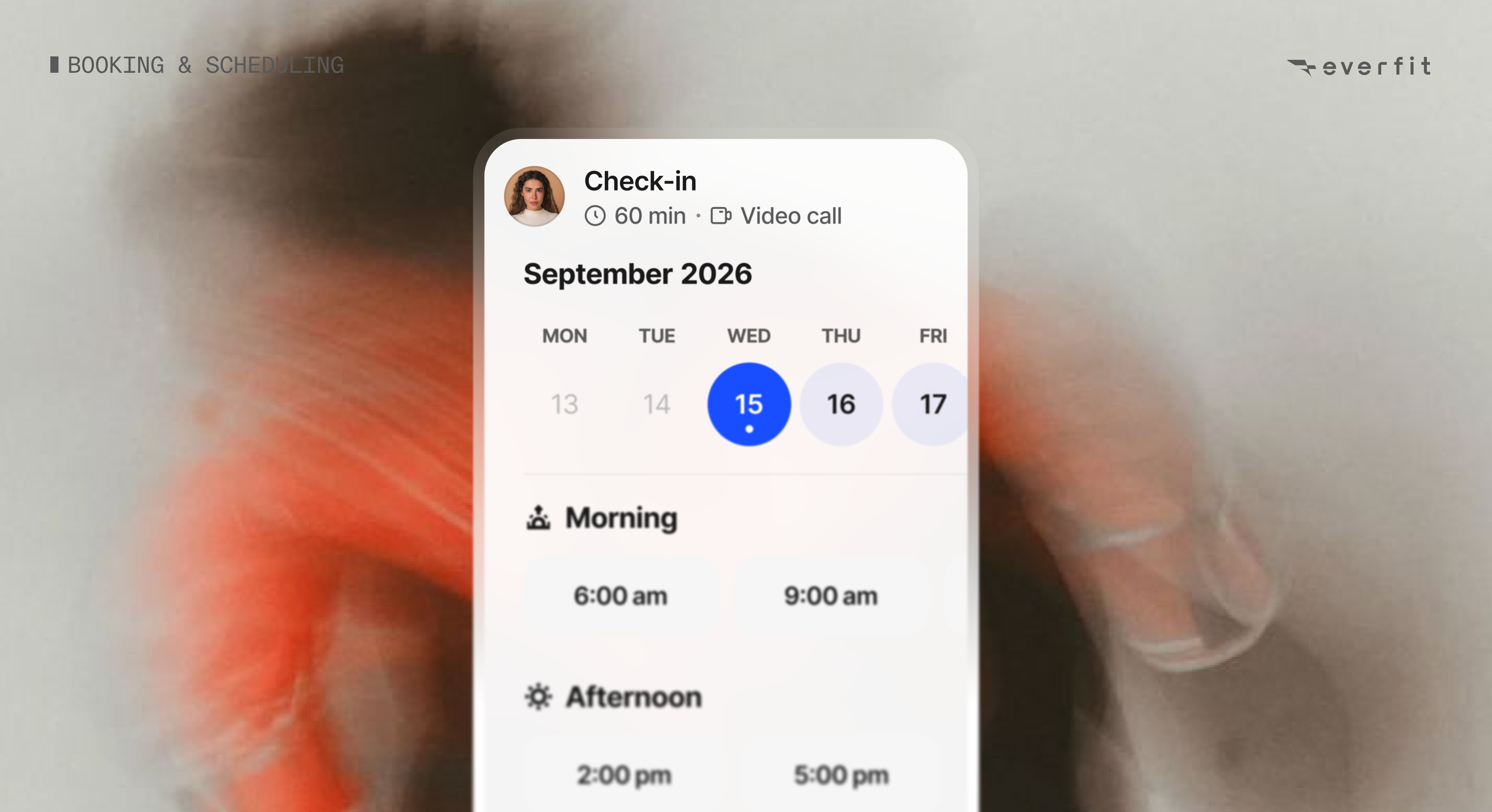
On your end as a coach, you can decide whether to allow self-bookings or self-cancellations for each session type. From there, set your cancellation window to define what counts as an early or late cancellation, so your schedule stays protected either way.
Learn more about Booking and Scheduling for clients ->
Automation that keeps your calendar moving
Booking and Scheduling with Everfit isn’t just a generic calendar bolted onto your coaching. It’s built to help you sell, scale, and run your day on autopilot.
- For paid session types: assign credits to a client, and each booking automatically draws one down.
- For free session types for consultations and check-ins: clients or coaches can book freely.
You can set up credit balances for clients in two ways:
- Issue them manually for one-off sessions
- Or set them to auto-assign the moment a client purchases a package through Everfit Payments. For example, if a client buys a 10-session package, the credits are automatically added to their account and ready to use as sessions get booked.
Work with your whole team
If you run a studio or manage a team of coaches, Booking and Scheduling gives you one shared home base instead of a patchwork of individual calendars. As an owner or admin, you have a central place to see and manage scheduling across your whole team. Learn more about team management on Everfit Calendar.
If you run multiple group classes or manage instructors across different time slots, you get one shared calendar view so no two instructors double-book the same studio space.
Group class sessions also include capacity management so you and your team members can check attendance, making sure the class isn’t overbooked.
Try Booking and Scheduling now →
Everfit vs. Standalone Calendar and Scheduling Tools
Plenty of coaches are pairing a scheduling tool, such as Calendly or Google Calendar, with their coaching platform. These tools are genuinely good at scheduling. However, “good at scheduling” isn’t the same as “built for coaching”.
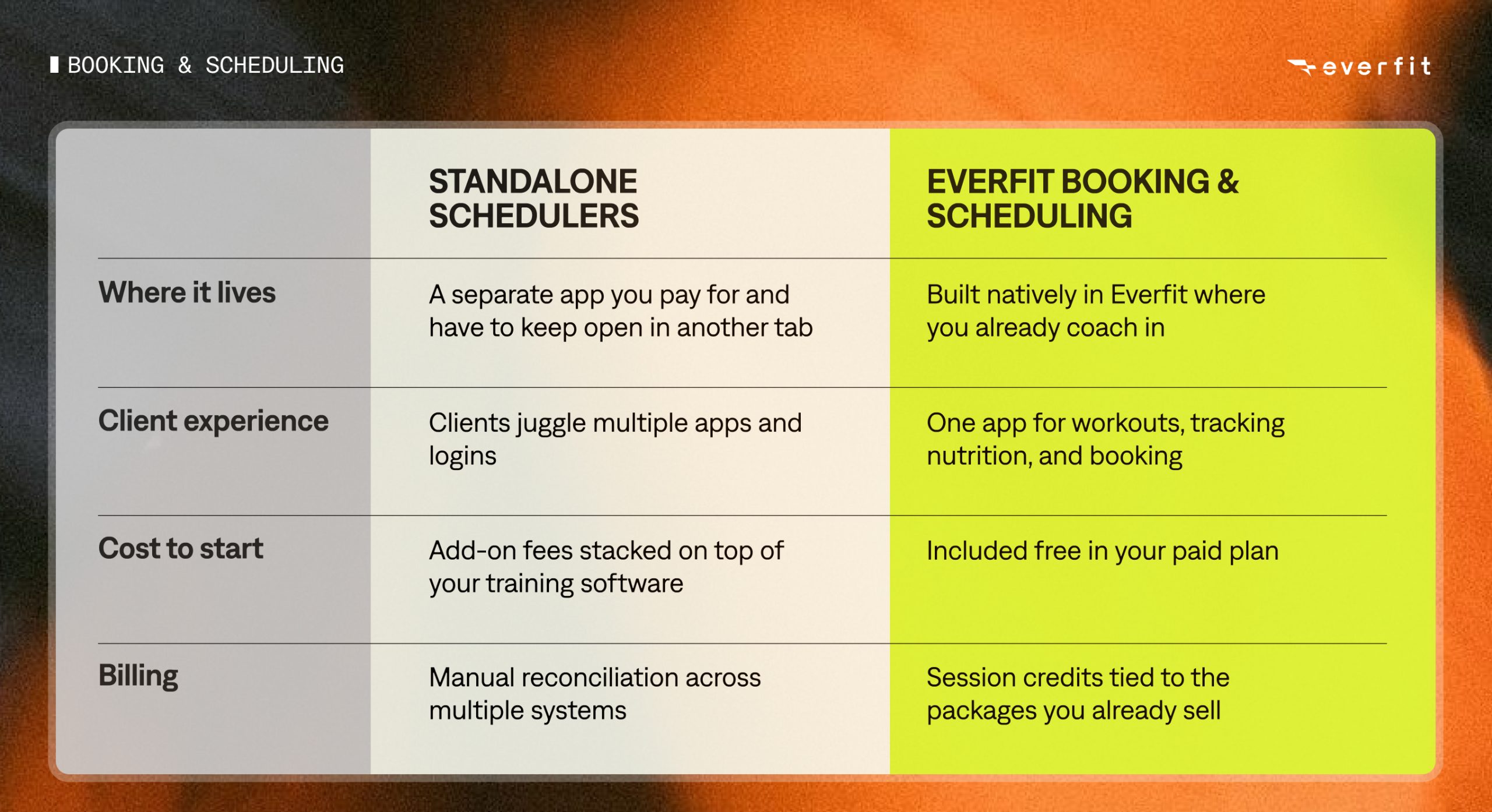
A standalone scheduler doesn’t know about your session types, your credits, or, most importantly, your client’s progress. So even with a solid calendar tool in place, you’re still running two systems: one to book the session, another to actually coach and get paid for it.
Everfit’s Booking and Scheduling feature closes that gap.
How to get the most out of Booking and Scheduling
Getting the right setup early on can make a real difference in how smoothly Booking and Scheduling runs for you, your clients, and your team. It feels more professional, and you won’t have to disrupt your workflow to make adjustments later.
Here are a few things we’ve seen work well from coaches already using it:
- Set up your session types before you send anything to clients. Getting your durations, locations, and formats defined up front means every booking after that is a couple of clicks, not a rebuild.
- Set your available hours once, and set your vacation days ahead of time. Everfit automatically converts your availability into each client’s local time zone, so you don’t have to think about time zones session by session.
- Be intentional about when you turn on self-book and self-cancel. For established clients with a predictable routine, opening up self-booking removes friction. For new clients, or session types where last-minute cancellations really hurt your schedule, a tighter cancellation window or leaving self-cancel off protects your time.
- If you offer group sessions, set your capacity in session types upfront. This prevents overbooking across other trainers.
Key Takeaways
Everfit’s Booking and Scheduling feature brings everything that used to live across separate tools into the platform you already coach in: your calendar, your client and class bookings, your credits, and your billing.
Your clients get a simpler way to get on your calendar. You get your time back, fewer no-shows, and one system that already knows how you coach. Stop juggling a separate calendar app. Start running your whole day inside Everfit.