
Since launching Booking & Scheduling, two requests have topped the list: take it mobile, and stop making coaches rebook the same client every week. Both are now live.
The Coach App now carries your full booking workflow in your pocket, and Repeating Sessions let you book a client’s entire schedule in one go. Your calendar no longer waits for your laptop, and your regulars no longer need rebooking. Set it up once, and Everfit keeps your schedule full, weeks ahead, wherever you are.
Booking & Scheduling now goes where you go
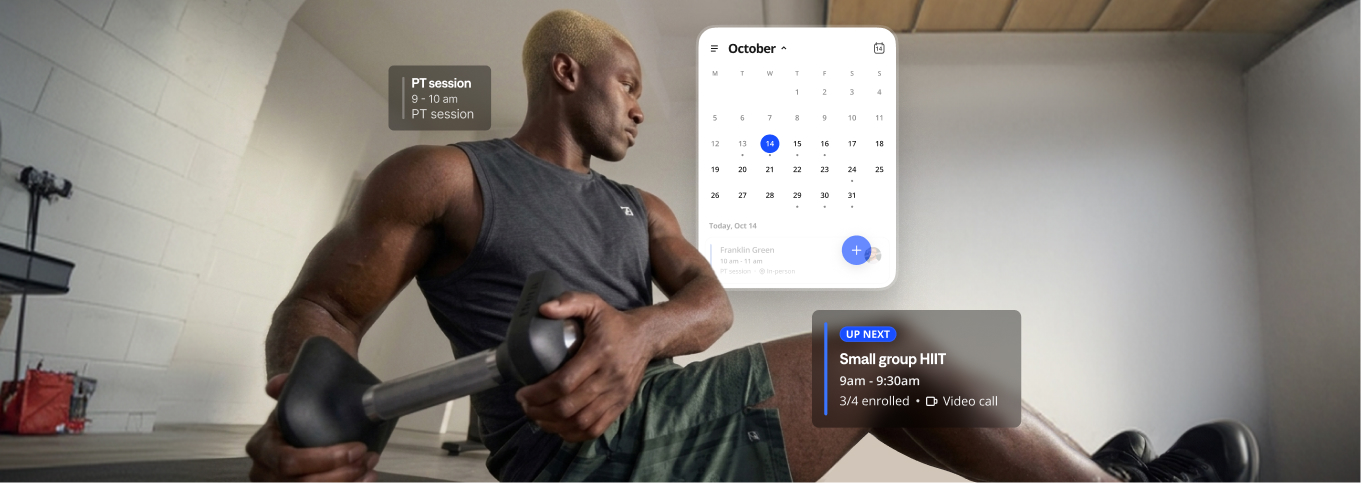
Everything you run on the web calendar now travels with you in the Everfit Coach App.
See your day at a glance
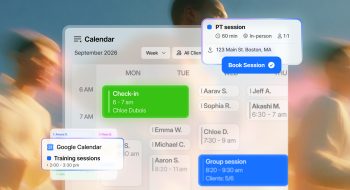
Open Sessions and your day is right there, in order, from your first session to your last. With your Google Calendar events shown alongside your Everfit sessions, you’ll spot a clash with the business meeting or a dentist appointment before it becomes a problem.
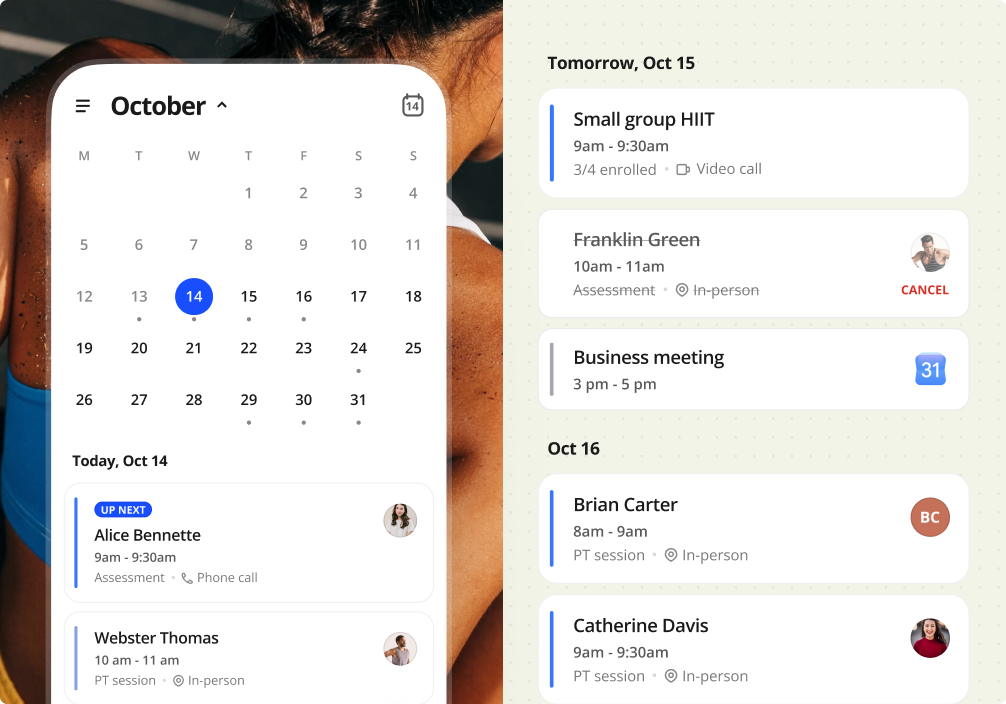
When your next client is a remote check-in, there’s no hunting for links. Open the session and join the the call link in one tap.
Book the next session when it matters
The easiest time to book a client’s next session is while they’re still catching their breath. Instead of saying “I’ll send you a time later,” lock it in on the spot.
1:1 sessions. Your client loved today’s workout and wants to come back Thursday. Pick the time, tap Book, and it’s done before they’ve packed their bag. If they ask for something different, like a quick mobility session, create a custom one-off session right there.
Group sessions. Check the open spots at a glance, add them to the roster, and you’re set. If someone drops out last minute, cancel just their spot and the session carries on for everyone else.
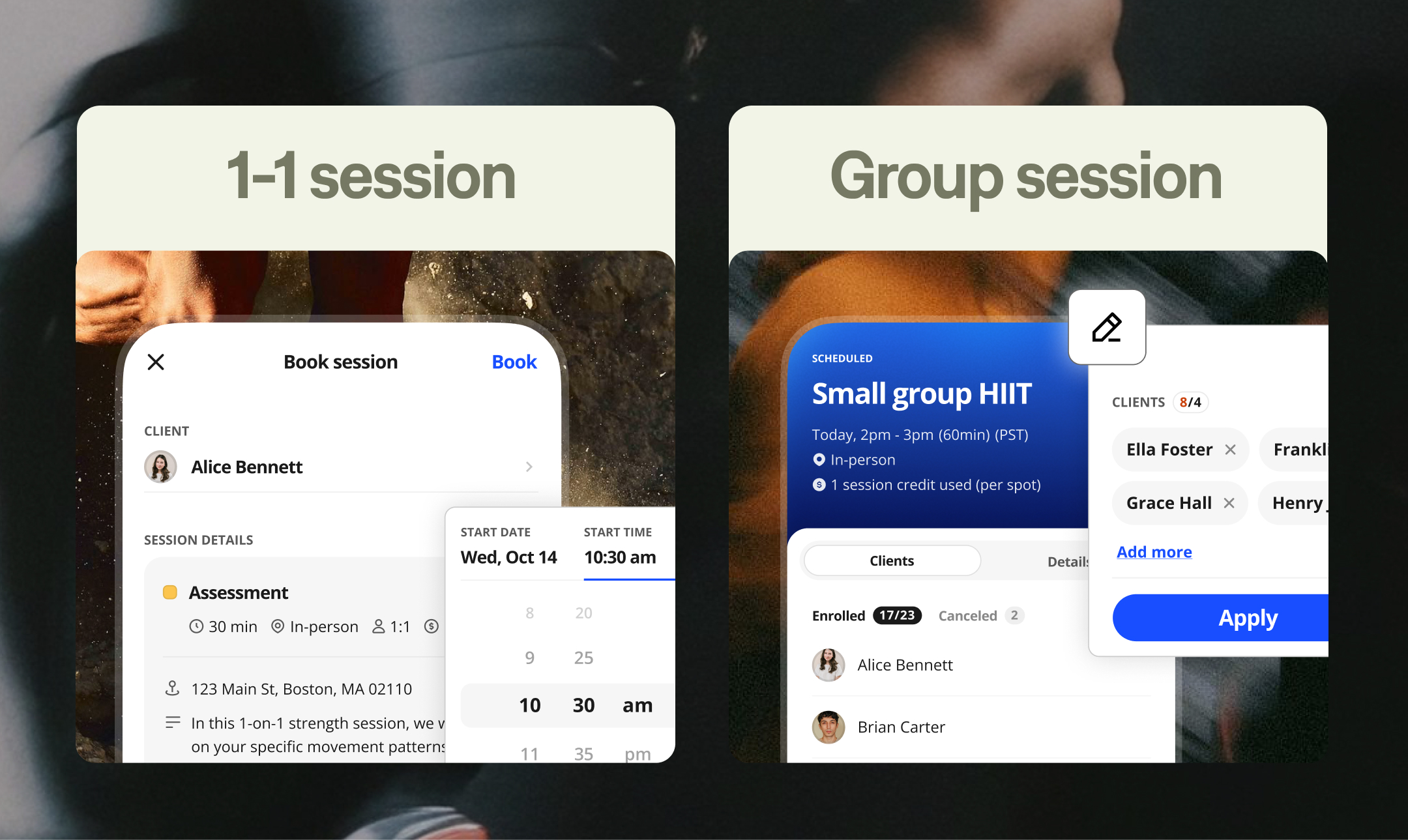
Every booking, edit, and cancellation follows the same rules as Coach Web, so your credits and policies stay exactly as you set them.
Learn how to manage Booking & Scheduling on the Coach App →
Answer client questions on the spot
“How many sessions do I have left?” “When am I seeing you next?” Now you can answer both without saying “let me check later.”
Open the client’s profile to see their upcoming sessions and remaining credits. If they’re running low or ready for their next session, book it right from their profile. They’re already selected, so it only takes a few taps.
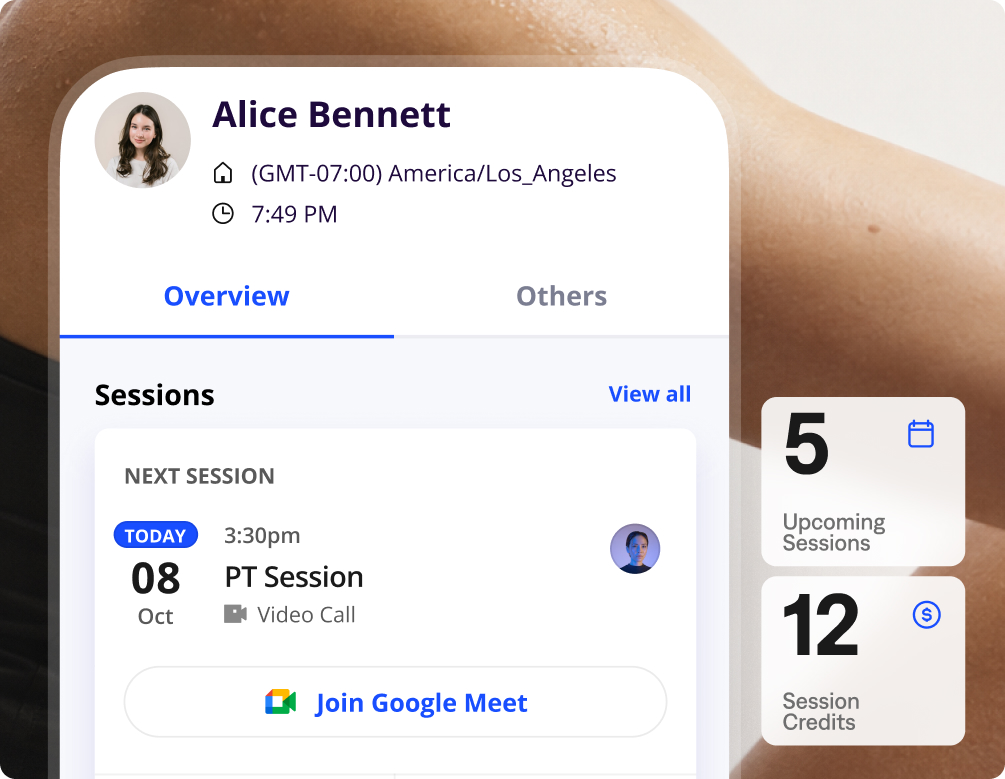
Plans change. A client cancels their evening session, someone self-books your free slot, or your manager hands you a session from another coach. You’ll get a notification each time, and one tap takes you straight to the session, so you can adjust your day right away.
Repeating Sessions are here
The weekly rebooking ritual is officially retired. With Repeating Sessions, you set a client’s schedule once, and Everfit books every session in the series for you.
Set up recurring session with ease
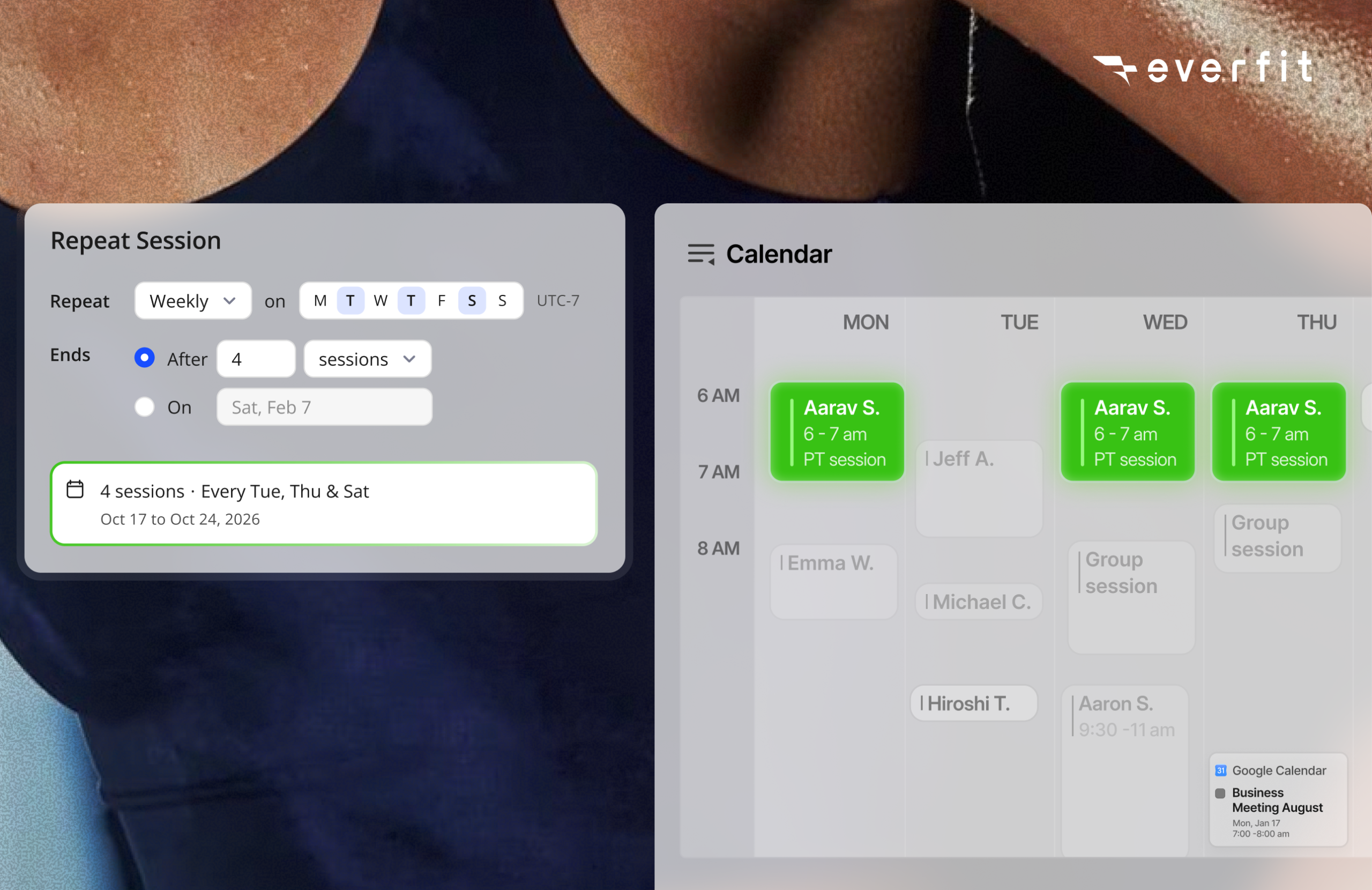
- Weeks of sessions, booked in one go: In the normal booking flow, click Repeat session, pick the rhythm (daily, weekly, or every 2 to 6 weeks), choose the days, and set when it ends. Everfit creates every session instantly.
- Turn any session into a series: Already have a one-off on the calendar? Edit it, set it to repeat, and it becomes the first session of the series. No canceling and rebooking.
- Change one, keep the rest: Edit or cancel a single session without touching the others, apply a change to this and following sessions, or update the whole schedule at once.
- Your regulars keep their spot: A standing weekly session means your client’s favorite time is locked in weeks ahead, and consistency is what shows up in their results.
Credits keep up, automatically
Repeating Sessions work hand in hand with session credits, so booking ahead never turns into a bookkeeping job.
- Credits apply to each session in the series automatically, earliest first, and you can book the full series even if your client hasn’t paid for every session yet.
- If a session is missing a credit, you and your client both get a reminder 72 hours ahead, with time to top up. No session ever runs unpaid.
- Add credits in a click, or let package purchases through Everfit Payments load them automatically.
Note: Repeating Sessions are created and managed on the Everfit web app. From the Coach App, you can view the full series and edit or cancel individual sessions.
Tips to get the most out of these updates
- Move your regulars to Repeating Sessions first. One setup each, and your next months of sessions are booked.
- Match the series to the client’s package. A 10-session package with a 10-session series keeps credits and bookings aligned, and the end of the series becomes your natural renewal conversation.
- Make the Coach App your between-sessions habit. Booking the next session while your client is still with you is the easiest rebook you’ll ever get.
Key Takeaways
Booking & Scheduling now works the way coaching actually works: on the move, and on repeat. The Coach App puts your schedule, bookings, and client credits in your pocket. Repeating Sessions turn your regulars’ routines into a calendar that fills itself, with credits tracked automatically along the way.
New to Booking & Scheduling? Start with the full launch guide.